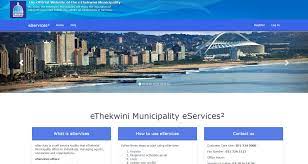

understanding ethekwini e-services
eThekwini eServices is an online portal designed for residents to interact with municipal offerings. These include paying municipal bills, viewing statements, lodging queries, tracking service requests, and updating personal information. The portal is accessible via web browsers and, increasingly, through mobile applications designed by the Municipality. You can logon to the E-Services Website here - eThekwini eServices
Benefits of Linking eServices to the Municipality App
Convenience: One-tap access from your mobile device, no need to remember multiple logins.
Real-time Notifications: Receive alerts for due payments, new statements, service interruptions, and updates on queries.
Integrated Service Requests: Log issues and track responses directly from your app dashboard.
Secure Transactions: Enhanced security protocols safeguard your data and payments.
Account Management: Manage multiple municipal accounts (home, business, rental properties) in one place.
Pre-Requirements for Linking Your Account
Before you begin, ensure you have the following:
-An active eThekwini eServices account (if you do not have one, you must register at the official eServices portal).
-The official Municipality app installed on your smartphone or tablet (available via Google Play Store and Apple App Store).
-Stable internet connection to avoid interruptions during setup.
-Up-to-date personal details (email, mobile number) as registered on eServices.
- Access to your registered email or mobile phone for verification codes and security checks.